Buying a SIM card in Milan got dramatically easier in 2026 — but the best option depends entirely on whether your phone supports eSIM. For most travelers from the US, UK or Canada with an eSIM-capable phone, an Airalo eSIM at $12 for 5GB over 30 days is faster than queuing at the Vodafone counter at Malpensa with your passport. If you need a physical SIM and you’re staying more than a week, walk past the airport kiosks and head to an Iliad store. Its TOP 230 plan costs €9.99 per month; Iliad’s site lists the current data and roaming allowances.
Here’s what actually works in 2026, what the airport counters will try to sell you, and where Milan’s free public WiFi is genuinely usable (Duomo square, most parks, the Castello Sforzesco lawn) versus where it falls apart (anywhere underground, half of Brera).

The fast answer (skip here if you’re in arrivals)
- Have an eSIM-capable phone, trip under 2 weeks? Buy an Airalo Italy eSIM before you fly. $12 for 5GB / 30 days, installed in two minutes, works the second your plane hits the tarmac.
- Want truly unlimited data? Holafly unlimited 7-day plan $23.90, or 30-day $64.50. Pricier but no GB-counting.
- Staying 2+ weeks or moving to Milan? Physical Iliad SIM — the TOP 230 plan at €9.99/month; check Iliad’s site for its data and EU roaming allowances. Bring your passport.
- Just need a few days of email and maps? Lean on free OpenWifiMilano hotspots plus your hotel WiFi. You can survive a long weekend on zero cellular data if you download offline Google Maps first.
- Verizon, T-Mobile, or Google Fi customer? Check before you panic-buy. T-Mobile Go5G Plus includes 5GB of high-speed data in 215+ destinations, then up to 256Kbps; Google Fi covers Italy on Flexible ($10/GB) and Unlimited Premium (data included); Verizon TravelPass is $12/day which adds up fast.
eSIM vs physical SIM: which one is actually right for you
Three years ago this question was complicated. In 2026 it isn’t. Samsung lists eSIM support on its Galaxy S20 models, and plenty of newer iPhones, Pixels and Motorolas have it too, but support varies by model and by the market the phone was sold in. Check your exact model with its manufacturer before you buy. The list of phones that do not work with eSIM is now shorter than the list that do.
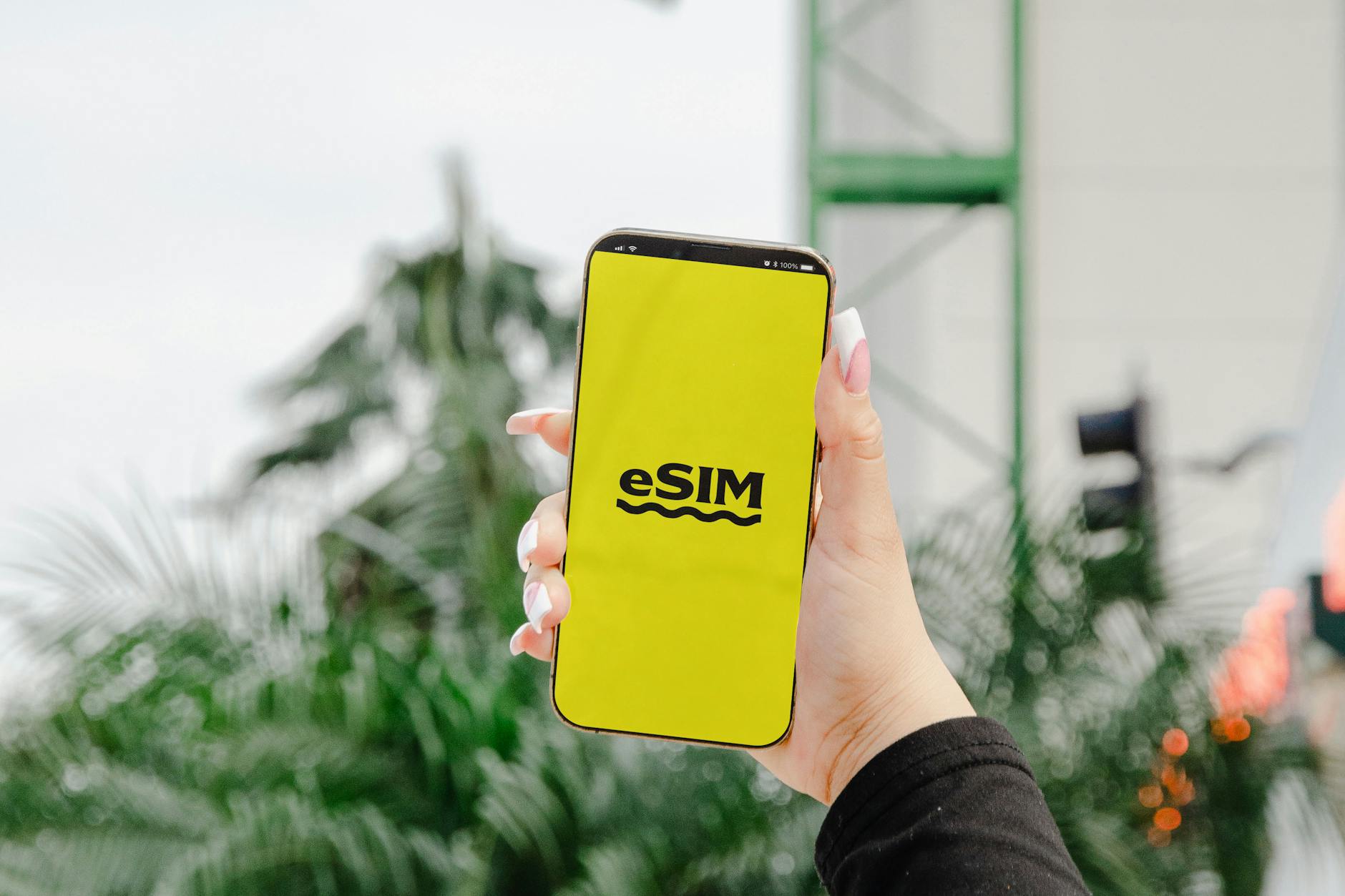
An eSIM is a software profile you download — there’s no physical card, no SIM tray, no fiddling with a paperclip. You scan a QR code at home, the profile sits dormant on your phone, and when you land at Malpensa you toggle it on. You can keep your home number active for SMS verification codes from your bank while using the Italian data plan for everything else. This is the killer feature: dual-SIM means you don’t lose access to your two-factor authentication codes.
Physical SIMs still make sense in three scenarios. First, your phone is too old for eSIM. Second, you’re staying long enough for a monthly Iliad plan to beat a tourist eSIM: compare Iliad’s current offer and upfront charges, over your length of stay, with the eSIM prices below. Third, you actually need an Italian phone number — for booking restaurants, dealing with Italian government services, or activating OpenWifiMilano (it requires SMS verification to any phone number, but having an Italian one is smoother).
For a typical Milan trip of under two weeks, eSIM wins. The convenience of skipping the airport queue is worth a slight premium over a local prepaid plan.
If you are staying long enough to need an Italian number rather than a roaming eSIM, our Milan digital nomad guide covers the codice fiscale you need to buy one, plus coworking prices and what a month here actually costs.
Best eSIM options for Milan in 2026
Four major eSIM providers sell Italy plans. Here’s how they compare.
Airalo — the default recommendation
Airalo’s Italy eSIM starts at $4 for 1GB over 3 days and scales up: $12 for 5GB / 30 days, $19 for 10GB / 30 days, $26 for 20GB / 30 days. They also sell a 30-day unlimited plan for $64, which is usually more than you need.
The Airalo app is straightforward, installation takes two minutes, and the support chat is responsive when something glitches. For a short Milan trip, this is the default pick.
Holafly — for the unlimited data crowd
Holafly sells by days rather than gigabytes, and every plan is unlimited. Their 7-day Italy plan costs $23.90, 15 days $44.50, 30 days $64.50. If you’re working remotely from Milan, video-calling family every night, or streaming Italian Netflix to learn the language, Holafly’s “stop counting” model is liberating. The downside is price — for normal tourist usage (Google Maps, WhatsApp, occasional Instagram), you’re paying for data you’ll never touch.
Saily — NordVPN’s eSIM play
Saily launched from the NordVPN team and undercut everyone briefly. Its Italy prices change, so compare the current plans in the Saily app with Airalo’s before you buy. The app bundles a basic VPN, which is genuinely useful if you’re hopping between hotel WiFi networks.
Nomad — solid backup option
Nomad sells Italy eSIMs too; check the current plans and prices on Nomad’s site. Worth knowing about as a fallback.
My pick: Airalo for trips under two weeks. Holafly if you want unlimited and don’t want to think about it.
Best physical Italian SIM carriers
If you’ve decided eSIM isn’t for you — or you’re staying long enough that local plans win on price — here’s the carrier landscape in Italy as of mid-2026.
Iliad — the price-to-data king
Iliad arrived in Italy in 2018 and completely upended the market. Its €9.99-a-month plan is now TOP 230, and Iliad’s site lists that offer’s current data, roaming and any upfront charges. For a tourist staying two to four weeks, it’s the plan to price first.
The catch: you have to visit a physical Iliad store with your passport, or use one of their SIMBOX vending machines; Iliad’s store locator shows where the nearest one is.
Vodafone
Vodafone’s prepaid offers change, so check the current plan and its EU roaming allowance on Vodafone’s site before you buy. Network quality is excellent across Milan, with consistent 5G in the center and reliable LTE in the suburbs.
TIM
TIM’s tourist SIM is branded TIM Tourist. Its price, data and EU roaming allowance change, so check the current terms on TIM’s site or at a TIM store before you buy.
WindTre — best rural coverage
WindTre sells a tourist offer as well; check its current price and allowances on WindTre’s site. WindTre’s edge is rural coverage — if you’re day-tripping to Bergamo, Como, or Lake Maggiore and want signal at the smaller stations, WindTre tends to be the most reliable choice. In Milan itself there’s no meaningful difference from Vodafone.
ho. Mobile — Vodafone’s budget brand
ho. Mobile is Vodafone’s no-frills sub-brand; its current monthly plans and EU roaming allowance are on the ho. Mobile site. The trade-off: no roaming-included calls in many EU countries and no physical store presence at the airports. Best for tourists already in town who can find a tobacco shop (tabaccheria) that sells ho. SIMs.
Where to buy a SIM card in Milan
Your three obvious options are airport, train station, and city-center carrier store. Here’s how they actually shake out.
Malpensa Airport (MXP)
Warning: the carriers aren’t the only sellers. Currency exchange offices such as Forexchange also sell SIM products, so compare their price with what the carrier itself charges before you pay.
Flying into Terminal 2 (mostly EasyJet, Ryanair, low-cost)? The simplest fix is an eSIM installed before you leave home.
Linate Airport (LIN)
Linate is closer to the city but has fewer SIM options in arrivals. There’s a Vodafone-affiliated vendor and a small newsagent that sells TIM prepaid cards. If you’re landing at Linate, my honest advice is skip the airport entirely — take the M4 metro to San Babila (€2.20), walk or change to M1 for Duomo, and find a proper Vodafone, TIM or Iliad store in the city center.
Train stations
Iliad’s SIMBOX vending machines dispense SIM cards once you scan your passport; Iliad’s store locator shows the nearest one to your station. That can be the fastest non-eSIM path if you’re arriving from another European city by train.
Duomo and city center stores
Vodafone, TIM, WindTre and Iliad all have stores in central Milan, and each carrier’s store locator will show the nearest one to the Duomo. Service is in English at all of them. This is where I send anyone who arrived without a SIM and wants 30 minutes of personal attention from a sales rep.
What documents you need
Italian law requires identification for every SIM card sale — there’s no anonymous purchase option. Bring your passport. A driver’s license alone won’t work. The clerk will photocopy or scan your passport and register the SIM to your name. This is universal across all carriers and is non-negotiable. You don’t need a codice fiscale (Italian tax ID) for a tourist prepaid SIM, despite what some old blog posts claim.
How to activate your Italian SIM
For physical SIMs bought at a store, the clerk will activate it for you on the spot. For SIMs bought from a SIMBOX vending machine, follow Iliad’s activation instructions for the line.
For eSIMs, the activation flow is: install the QR code at home using your phone’s “Add cellular plan” or “Add eSIM” menu, leave the line off, and toggle it on once you land. Some carriers (Airalo) auto-activate when you connect to the Italian network; others (Holafly) require you to start the plan manually in the app. Always read the instructions for your specific provider before you fly — the small differences trip people up.
One activation quirk: if you bought a physical SIM and your home SIM is still active, your phone may stay registered on the wrong network for a few minutes. The fix is airplane mode for 30 seconds, then back on. If that doesn’t work, restart the phone. If that doesn’t work, you may have a locked phone — check with your home carrier before you travel, because a locked phone won’t accept an Italian SIM at all.

EU “roam like at home” — does it still work?
For EU customers (German, French, Spanish, Dutch, etc.), yes — Roam Like at Home regulations are still in effect across the EU and EEA in 2026. Your home plan’s data, minutes and texts work in Italy at no extra charge, subject to a fair use policy. Fair-use data caps can be lower than your home allowance, and operators can monitor your presence and usage over a four-month period. Otherwise there’s nothing to do — just land and use your phone.
For UK customers post-Brexit, the situation is messier. The EU regulation no longer applies to UK operators, so each network sets its own roaming terms. Typical daily fees are £2-£5/day for EU access. O2 includes roaming in its Europe Zone, subject to a roaming limit. Check your specific plan before you fly — some UK contracts grandfathered the old free-roaming terms, others didn’t.
For UK travelers, my math is simple: if your daily roaming fee is £2.50+ and you’re staying more than 4 days, an Airalo eSIM at $12 for 5GB over 30 days is cheaper. For a one-week trip, the eSIM almost always wins.
Roaming for US, Canadian and other non-EU travelers
T-Mobile (US): Go5G Plus and Magenta MAX include 5GB of high-speed data in 215+ destinations including Italy, then unlimited data at up to 256Kbps; check base Go5G’s benefits separately. If you want more high-speed data, International Passes cost $10 for 2GB over 24 hours, $50 for 15GB over 10 days, or $75 for 30GB over 30 days, with unlimited calling included. Whatever your carrier, check your plan’s Italy coverage and roaming settings before you fly.
Verizon (US): TravelPass charges $12/day for unlimited talk, text, and 5GB high-speed data per day, then unlimited 3G after. For a week in Milan that’s $84 — more than an Airalo eSIM with room to spare. Only worth it if you absolutely need your US number live and you’re staying 1-3 days.
AT&T (US): International Day Pass is $12/day with similar terms to Verizon. Same math problem.
Google Fi (US): Probably the best home-carrier roaming option. On the Flexible plan, data in Italy costs the same $10/GB as at home; Unlimited Premium includes international data, with 50GB at high speed in 200+ destinations (Italy among them), then up to 256Kbps. Texts are free and cellular calls cost $0.20/min. For light-to-moderate use this is hard to beat.
Rogers, Bell, Telus (Canada): Roam Like Home or equivalent runs around CAD $15/day in Italy. Cancel it before you fly and grab an eSIM instead.
Free WiFi in Milan: what’s actually usable
Milan’s municipal WiFi network — OpenWifiMilano — has hundreds of free hotspots across the city. It’s free, has no data cap once you’re registered, and works in most of the places tourists congregate.
Where OpenWifiMilano actually works
- Piazza del Duomo and the surrounding streets — strong signal across the entire square.
- Castello Sforzesco grounds and Parco Sempione — good signal on lawns and benches.
- Brera — patchy. Strong near Pinacoteca, weaker on the narrow side streets.
- Navigli — solid along the Naviglio Grande towpath, drops out near some bars.
- Most public libraries and municipal buildings.
- Several major parks — Indro Montanelli, Lambro, the smaller squares.
How to connect
Look for the network name “openwifimilano” on your phone. Open a browser, hit “registrati” (register), accept terms, and enter a mobile number. You’ll get an SMS with an access code within about a minute. This is the one piece of friction — you need a working SMS-capable number to register. Your US/UK number works fine if it’s still active in roaming mode. After registration, your device auto-connects for future sessions.
Airport and train station WiFi
Malpensa offers free WiFi in both terminals. Linate’s WiFi is similar. Milano Centrale station has free WiFi managed by Grandi Stazioni Rail, which requires SMS registration. Speeds at all three are mediocre but adequate for messaging and email.
Cafes with genuinely good WiFi
Most Milan cafes offer WiFi but the quality varies wildly. Ask for the password and any time limit when you order, and keep your eSIM as the backup for a laptop session.

WiFi at Milan hotels and hostels
Practically every Milan hotel above two stars offers free WiFi as standard. Quality is uneven. Boutique hotels in old buildings (Brera, Quadrilatero) often suffer from thick stone walls and patchy room coverage despite paying for fast service. International chain hotels (Marriott, Hilton, NH) tend to have more consistent coverage but the per-room speeds vary. Hostels — Babila, Madama, Ostello Bello — all advertise WiFi and all deliver something between mediocre and surprisingly fast depending on how many guests are streaming Netflix that evening.
One Italian quirk: many hotels still ask for a name when you connect, occasionally a room number. This is to comply with old anti-terrorism legislation (the Decreto Pisanu, partially repealed but still influencing hotel practices). It’s harmless. For more on choosing a hotel, see our where to stay in Milan guide.
Pocket WiFi and portable hotspots — usually not worth it
Five years ago, renting a portable WiFi hotspot was a popular option for groups. In 2026 the math has collapsed. A $12 eSIM covers one person’s needs; a pocket WiFi rental at $7-10/day plus delivery and return logistics is more expensive and more annoying. If you’re traveling as a family or group and want to share data, just use the personal hotspot feature on the eSIM-equipped phone — modern Italian eSIMs allow hotspot sharing without extra cost.
The one scenario where rental pocket WiFi still makes sense: you have an older phone with no eSIM capability, you’re traveling with a laptop, and you specifically don’t want to deal with a physical SIM. Even then, an unlocked Italian SIM in a $30 mobile hotspot device you keep can work out cheaper over multiple trips.
Practical connectivity tips for your Milan trip
- Download offline Google Maps for Milan before you fly. The whole metro area fits in about 400MB. This single step removes 80% of your data anxiety.
- Install ATM Milano Official App — this is the public transit app for metro, tram and bus. Lets you buy tickets, plan routes, see real-time arrivals. See the Milan transport guide for full transit details.
- Install the Trenitalia and Italo apps for train tickets within Italy. Both work offline once tickets are downloaded.
- Set up Google Translate offline pack for Italian — it’s about 75MB and saves you when WiFi is patchy.
- Install the IT-Wallet app if you’re staying longer than a few days. Italy’s digital ID system now includes health card, driver’s license, and some travel documents in app form.
- Enable WhatsApp calling. Italians use WhatsApp for everything — restaurants, doctors, hairdressers. A WhatsApp call over WiFi or cellular is free and avoids carrier voice charges.
- Bring a power bank. Cellular data, navigation, and constantly checking transit apps will drain your phone faster than you expect. See our Milan packing list for power bank recommendations.
- Turn off background app refresh on iOS, or restrict background data on Android, before you arrive. Auto-updating apps over cellular can eat through 1GB in a single morning.
- Learn a couple of Italian phrases — our essential Italian phrases for Milan guide covers what you actually need.
Frequently asked questions
Do I really need a SIM card in Milan?
No, you can survive on hotel WiFi plus OpenWifiMilano in the city center if you’re frugal. But you’ll be navigating dead zones constantly. For most travelers, a $12 Airalo eSIM is the best stress-removing purchase of the whole trip.
Is buying a SIM at Malpensa more expensive than in the city?
Slightly. The carrier counters at Malpensa charge the same base prices as their city stores, but they push higher-margin “tourist” plans. Currency exchange offices sell SIM products too, so compare their price with the carrier’s own before you pay. If you stick to the actual Vodafone/TIM/WindTre/Iliad counters, you’ll pay normal prices.
Will my US phone work in Italy?
If it’s unlocked and supports GSM bands, yes; check your model’s specifications if you’re unsure. Locked phones from US carriers may need to be unlocked first — call your carrier before you fly. CDMA-only phones from very old Verizon or Sprint plans won’t work.
Do Italian SIMs work in other EU countries?
Yes — Italian carriers include EU roaming under the same Roam Like at Home regulation. How much EU data you get depends on the plan, so check each operator’s terms before you choose a SIM. If you’re touring Italy plus a quick hop to Paris or Munich, the Italian SIM follows you at no extra cost.
Can I keep my US/UK number while using an Italian SIM?
Yes, if you use an eSIM. The Italian eSIM runs as your data line; your home physical SIM stays active for receiving SMS verification codes from your bank, Google, Apple ID and so on. Set the Italian eSIM as default for cellular data and keep your home line on voice/SMS only. This is the single most important reason eSIMs beat physical SIMs for short trips.
Is the free Milan WiFi safe to use for banking?
I wouldn’t log into a bank on any public WiFi without a VPN. OpenWifiMilano is run by the municipality and is reasonably trustworthy, but the principle of “don’t trust open networks for sensitive logins” still applies. Saily’s eSIM includes a basic VPN; Holafly has VPN partnerships; you can also use NordVPN or ExpressVPN as a standalone app. For everything except banking and email password entry, the city WiFi is fine.
Final thoughts on staying connected in Milan
The single biggest mistake I see travelers make is overthinking this. They land at Malpensa, get overwhelmed by the carrier counters, end up overpaying for a small tourist plan, and then spend the rest of the trip worried about data. Decide before you fly. If your phone is eSIM-capable and your trip is under two weeks, buy an Airalo plan tonight and you’ll never think about it again. If you need a physical SIM or you’re staying longer, walk past the Malpensa kiosks, get into the city, and pick up an Iliad SIM at a store or SIMBOX with your passport.
Either way, you’ll have working data the moment you need it. Combine that with downloaded offline maps, the ATM Milano app, and the surprisingly good OpenWifiMilano coverage in the city center, and connectivity becomes the boring part of your trip instead of a daily anxiety.
For more on planning your time in Milan, see our Milan travel tips, the things to do in Milan roundup, our budget Milan guide for keeping costs down, and the Milan attractions guide for what’s worth your time. If you’re worried about security on public networks or anywhere else, the is Milan safe overview and our piece on common Milan tourist scams cover the bases. And before you tip anyone for setting up your SIM, check our Milan tipping etiquette guide — Italy is less tip-driven than the US, and carrier store reps don’t expect anything.